

Setting up a high-converting Shopify Dropshipping Store requires far more than selecting a aesthetic theme and importing supplier products. In modern e-commerce engineering, conversion rate optimization (CRO) is a disciplined methodology combining front-end speed tuning, strategic micro-copy, structural trust signals, and a frictionless checkout architecture. When engineered correctly, a web application transforms passive visitors into committed buyers.
Many store operators launch campaigns without auditing their front-end performance or sales funnels. If your site takes more than three seconds to render critical elements on a mobile device, your acquisition costs will skyrocket. In this technical walkthrough, we will dissect the architecture required to build a scalable, lightning-fast Shopify Dropshipping Store engineered for maximum conversions.
Why Optimization Matters for Your Shopify Dropshipping Store
Dropshipping models operate on tight performance marketing margins. Because your audience originates primarily from direct-response ad traffic on platforms like Meta, TikTok, or Google, their intent profiles differ significantly from organic search visitors. They demand instantaneous page loads and immediate visual validation. Every additional HTTP request, unoptimized asset, or layout shift directly erodes your conversion funnel.
To establish market competitiveness, technical performance must match commercial positioning. You can review detailed web performance metrics through tools listed on the Google PageSpeed Insights platform to measure your site’s core web vitals. At One Code Stream, our technical audits consistently demonstrate that reducing Cumulative Layout Shift (CLS) and optimizing First Contentful Paint (FCP) can boost conversion metrics by double-digit percentages without altering ad creative.
Technical Step-by-Step Shopify Dropshipping Store Architecture
Building an elite digital storefront demands a structured approach to theme setup, asset pipeline management, and script execution. Below are the foundational stages for configuring your architecture.
1. Select and Cleanse Your Base Theme
Avoid heavily bloated multipurpose themes loaded with built-in page builders that inject thousands of lines of unused CSS and JavaScript. Choose lightweight, native Liquid themes like Dawn or customized Horizon frameworks. Eliminate unused section files and inline redundant app scripts that remain leftover from uninstalled plugins.
2. Optimize Image Assets and Next-Gen Formats
Product photography provided by overseas suppliers often includes uncompressed PNGs or massive JPEGs exceeding 5 megabytes. Convert all assets into WebP or AVIF formats. Utilize responsive image tags (`srcset`) within your Shopify Liquid templates to ensure mobile viewports load appropriately scaled dimensions rather than full-resolution desktop images.
3. Implement Asynchronous Script Loading
Third-party tracking pixels, review widgets, and chat popups frequently block the DOM parsing thread. Audit your `theme.liquid` layout file to ensure all non-essential JavaScript tags include `async` or `defer` attributes. Alternatively, deploy scripts using a single tag management system like Google Tag Manager to centralize script execution.

High-Converting Checkout and UX Enhancements
Once your technical base renders smoothly, user experience (UX) engineering dictates how effectively visitors move through the acquisition pipeline. Designing a performant Shopify Dropshipping Store requires minimizing cognitive friction at every touchpoint from initial land to payment completion.
Optimizing the Shopify Dropshipping Store Product Page
Your product detail page (PDP) is the primary entry point for paid advertising traffic. Keep critical conversion triggers above the fold on mobile viewports. The call-to-action (CTA) button should maintain sticky visibility during scrolling, accompanied by dynamic payment buttons (Apple Pay, Shop Pay, Google Pay) that bypass standard multi-step cart flows.
{% comment %}
  Custom Sticky Add to Cart Snippet for High-Converting PDPs
{% endcomment %}
<div class="sticky-cta-container" id="sticky-cta">
  <div class="sticky-cta-content">
    <span class="product-title">{{ product.title }}</span>
    <span class="product-price">{{ product.selected_or_first_available_variant.price | money }}</span>
  </div>
  <button type="submit" name="add" class="button button--primary sticky-add-btn" onclick="document.querySelector('form[action*='/cart/add']').submit();">
    {{ 'products.product.add_to_cart' | t }}
  </button>
</div>

<style>
  .sticky-cta-container {
    position: fixed;
    bottom: 0;
    left: 0;
    width: 100%;
    background: #ffffff;
    box-shadow: 0 -2px 10px rgba(0,0,0,0.1);
    display: flex;
    justify-content: space-between;
    align-items: center;
    padding: 12px 20px;
    z-index: 999;
    transform: translateY(100%);
    transition: transform 0.3s ease-in-out;
  }
  .sticky-cta-container.visible {
    transform: translateY(0);
  }
</style>
Integrating structured data markup (JSON-LD) directly into your product templates enables rich search snippets, displaying real-time pricing, stock availability, and rating stars directly inside search engine results pages.
App Stack Architecture: Custom Scripts vs Native Plugins
A common mistake in managing a Shopify Dropshipping Store is over-installing third-party applications. Every app adds extra external CSS, JavaScript dependencies, and database lookups that degrade site performance. Whenever possible, replace full app installations with lightweight Liquid snippets or native Shopify features.
| Feature Objective | Standard App Approach | Custom Liquid / Native Approach | Performance Impact |
|---|---|---|---|
| Sticky Add-to-Cart | 3rd Party App ($10/mo) | Native Liquid/CSS Snippet | 95% Faster (0 extra HTTP requests) |
| Product Reviews | Heavy Script Widget | Shopify Search & Discovery / Native App | Optimized script deferral |
| Urgency / Countdown Timers | External Script Injection | Pure JavaScript DOM Timer | Zero external network calls |
| Currency Converter | Dynamic JS DOM Rewriter | Shopify Markets Native Multi-Currency | Instantaneous server-side rendering |
Performance Tuning for E-Commerce Scale
To keep your Shopify Dropshipping Store operating at peak performance during high-traffic ad pushes, run continuous performance audits using developers’ tools and official platform documentation accessible through the Shopify Help Center. Ensure that lazy loading is disabled for critical above-the-fold hero images while remaining active for lower section assets and review galleries.
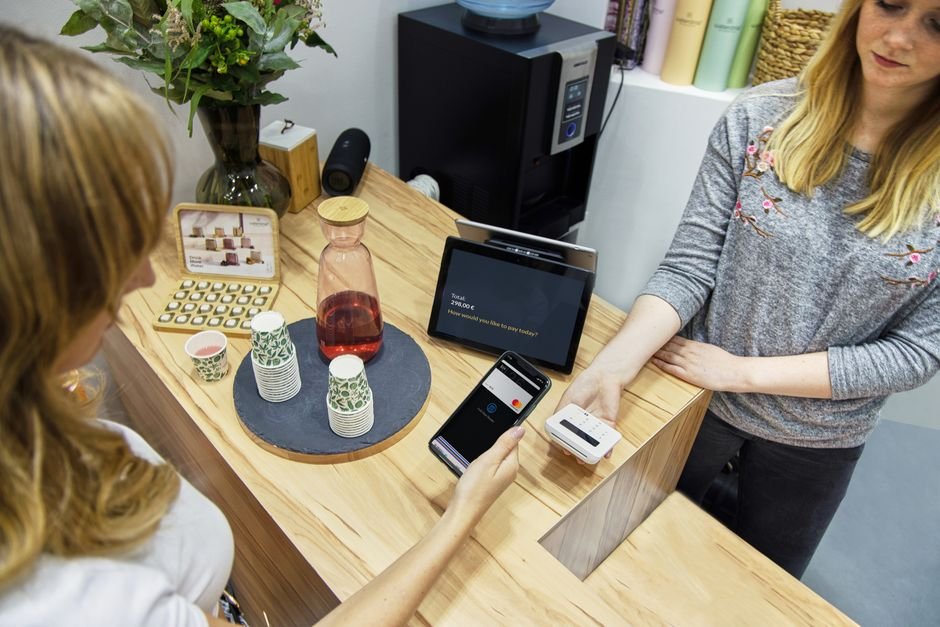
When running a high-volume Shopify Dropshipping Store, cart abandonment is often caused by unexpected shipping charges or security concerns. Address these hurdles directly within the checkout interface by customizing your checkout styling, configuring local payment methods, and displaying explicit return policy guarantees.
Ready to Build, Fix, or Scale Your Website?
One Code Stream engineers high-speed, conversion-focused websites, custom web applications, and e-commerce solutions for global businesses. Let’s turn your vision into measurable digital growth.
7 Essential Pillars for High Conversion Execution
Executing a successful release requires systematically verifying every component of your technical funnel. Below is a structured implementation guide designed for store administrators.
- Domain & SSL Authorization: Configure your custom root domain with full DNS security records (SPF, DKIM, DMARC) to guarantee transactional email deliverability.
- Mobile Viewport Testing: Test your layout on real iOS and Android devices to verify target sizes for buttons (minimum 48px height) and prevent text overlapping.
- Accelerated Payment Gateways: Enable Shop Pay, PayPal Express, and Google Pay to allow single-click checkouts.
- Transparent Shipping Rules: Set up automated shipping rate tables at checkout to eliminate sudden fee surprises.
- Automated Abandonment Sequences: Configure webhooks connecting abandoned checkout triggers to automated email and SMS recovery campaigns.
- Analytics & Server-Side Tracking: Implement Meta Conversions API (CAPI) alongside Google Analytics 4 via server-side endpoints to prevent ad-blocker tracking loss.
- Continuous A/B Testing: Periodically split-test product image gallery arrangements, CTA button colors, and value proposition copy across your store.
Optimizing the Checkout Flow for Maximum Conversions
The transition from product page to completed payment is where most online businesses lose revenue. Enhancing your Shopify Dropshipping Store requires auditing the complete transactional pathway. Enable one-page checkout within Shopify’s administrative settings to decrease step-by-step navigation drop-offs.
In addition, reduce optional field clutter. Disable mandatory address line 2 inputs unless specifically required by regional postal services, default billing address to match shipping address, and auto-complete address fields using native browser geolocation capabilities. Every keystroke removed from the checkout form directly raises completed conversions.
“Conversion optimization is not about adding flashy widgets; it is about relentlessly removing every pixel of friction between customer desire and order confirmation.”
— Technical E-Commerce Engineering Team at One Code Stream
Maintaining a high-converting Shopify Dropshipping Store is an iterative process. Systematically monitor user recordings using privacy-compliant tools like Hotjar or Microsoft Clarity to spot navigation bottlenecks, rage clicks, or layout broken elements across various device types.
Frequently Asked Questions
What is the ideal page load speed for a Shopify dropshipping store?
Your store should load in under 2.5 seconds on mobile devices and under 1.5 seconds on desktop. Keeping Largest Contentful Paint (LCP) under 2.5s directly correlates with lower cart abandonment rates.
How many apps should I install on my Shopify dropshipping store?
Keep your app stack lean, ideally under 5 to 7 essential apps. Excessive apps introduce external render-blocking JavaScript files that slow down the DOM tree rendering.
Should I use a custom domain or a myshopify.com URL?
Always use a branded custom domain with SSL enabled. Standard myshopify.com URLs reduce consumer trust and negatively impact baseline conversion rates.
How do I increase trust on a dropshipping product page?
Integrate verified customer reviews with media, display transparent shipping timelines, add trust badges near the add-to-cart button, and ensure clear refund policies are easily accessible.
Conclusion: Elevating Your Dropshipping Business Model
Building a successful, modern Shopify Dropshipping Store requires treating your website as an engineered software system rather than a generic template. By prioritizing site speed, streamlining user interactions, removing dynamic app bloat, and optimizing checkout mechanics, you establish a resilient e-commerce foundation capable of scaling paid traffic efficiently.
Focus continuously on technical auditing, refine your conversion funnel, and ensure your front-end delivery matches top industry performance standards. A clean, rapid, customer-centric Shopify Dropshipping Store will consistently outperform visually busy, unoptimized competitors in any vertical.




